

Introduction
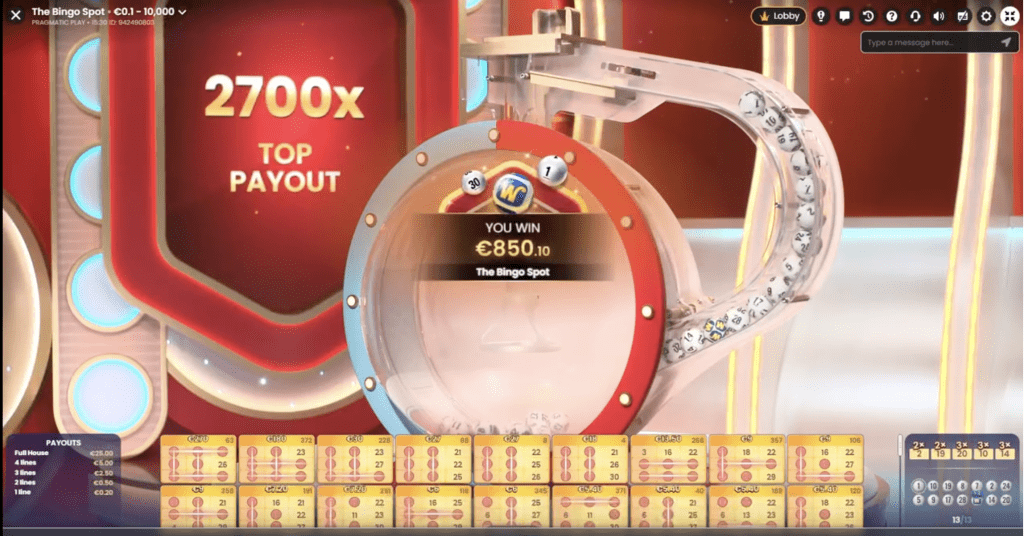
The Bingo Spot is an entertaining, dynamic and captivating game show played with a tumbling device containing numbered balls drawn randomly. Simply buy tickets and complete winning patterns when ticket and ball numbers match. Fill out the whole ticket, and you are awarded 250x your bet!
Additionally, the included bonus features – Lucky Numbers with their multipliers and the Wild Ball bonus, offer to increase your potential winnings even more.
The objective of the game is to collect vertical or horizontal lines by matching the numbers on your tickets with the numbers of drawn balls. The more lines you complete, the greater your winnings!
How to Play
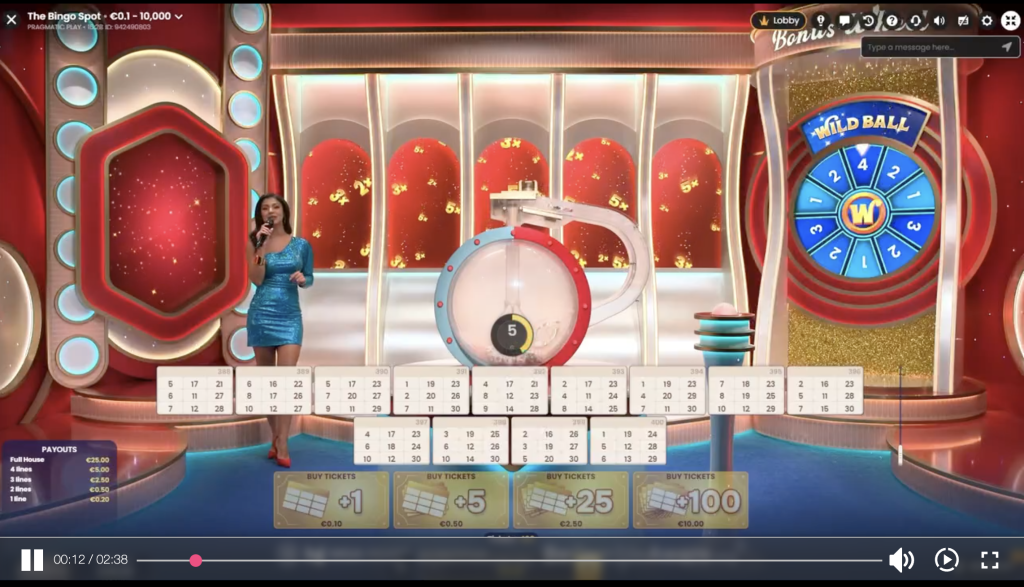
The Bingo Spot is played with a tumbling device holding 30 regular balls (numbered 1 to 30) and a bonus Wild Ball. Once the timer ends, the balls are randomly drawn by the tumbling device.
The game ends when nine regular balls are drawn. If one of these balls is the Wild Ball, additional draws are randomly triggered, and the game ends when the remaining draws are completed.
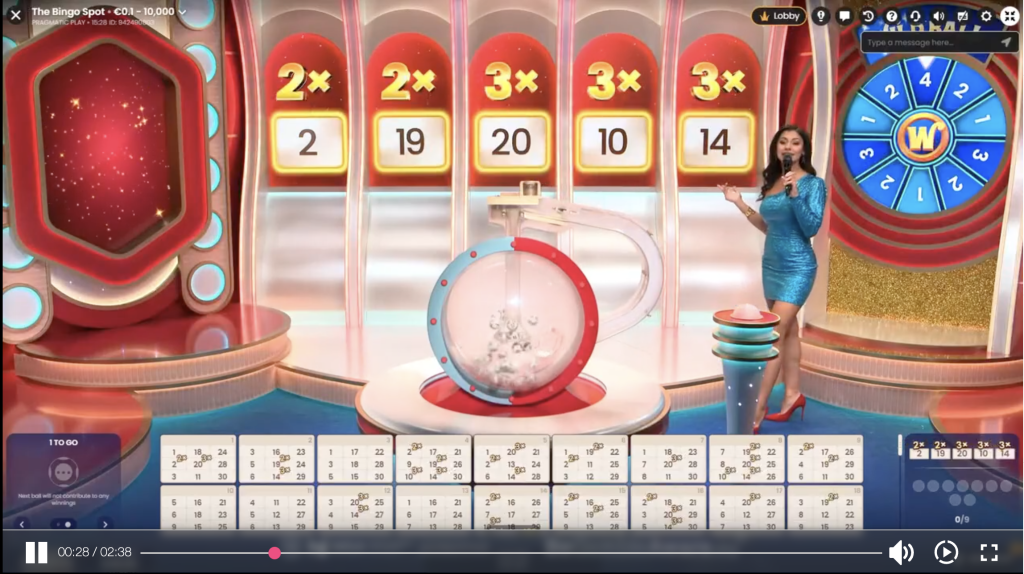
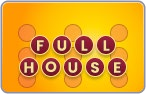
Buy up to 400 tickets and complete horizontal or vertical lines when ticket and ball numbers match. You can complete up to 4 lines per ticket or achieve a Full House with the highest payout!
Select the ticket value and click/tap your preferred ticket bundle to purchase. You can modify or refresh your tickets with a new set of numbers until the betting time expires. Your selected ticket value is automatically applied to each of your purchased tickets. The total value of your purchase is displayed in the Total Bet window.
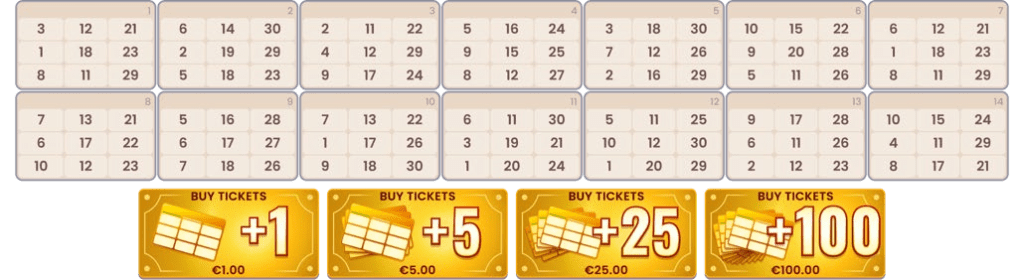
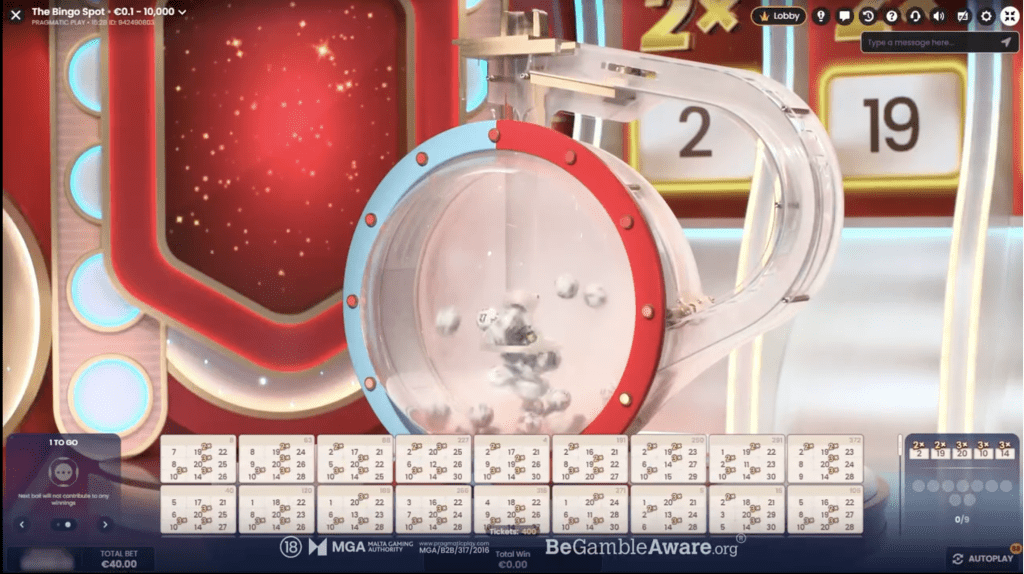
Your purchased tickets are revealed face-up. Each 3×3 grid ticket is filled with nine numbers randomly arranged into three columns corresponding to ball numbers in the tumbling device:
- Left: 1-10
- Centre: 11-20
- Right: 21-30
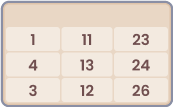
Once the betting timer ends, five Lucky Numbers are randomly assigned a multiplier of 2x, 3x or 5x. If the drawn ball is any of the Lucky Numbers, their corresponding multiplier is activated for the tickets containing this number.
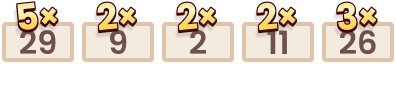
For example, your ticket has two Lucky Numbers, “11” and “26”, with corresponding multipliers of 2x and 3x, respectively.
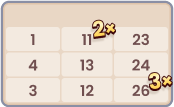
If the drawn ball is the Lucky Number “11”, its assigned multiplier of 2x is activated and becomes a ticket multiplier. If the Lucky Number “26” is also drawn, its assigned multiplier of 3x is activated and multiplied by the existing ticket multiplier, i.e., 3x x 2x = 6x.
Ticket multipliers apply to the winning patterns on that ticket. If there are no winning patterns, ticket multipliers do not award payouts on their own.
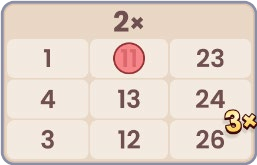
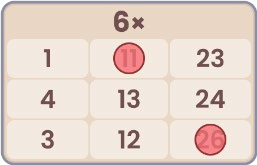
The tumbling device then begins drawing balls one at a time. Numbers on your tickets that match the drawn balls are automatically marked with a red chip, allowing you to track the game’s progress easily:
- Completed patterns are instantly highlighted. Once any ticket completes a pattern, the winnings are automatically calculated and displayed in the Total Win field.
- The drawn balls are automatically updated and displayed on your screen.

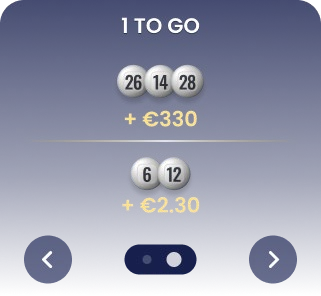
- Numbers that would complete a winning pattern in any of your tickets with the next draw are displayed in a separate window, arranged by the highest potential payouts.
Wild Ball Bonus
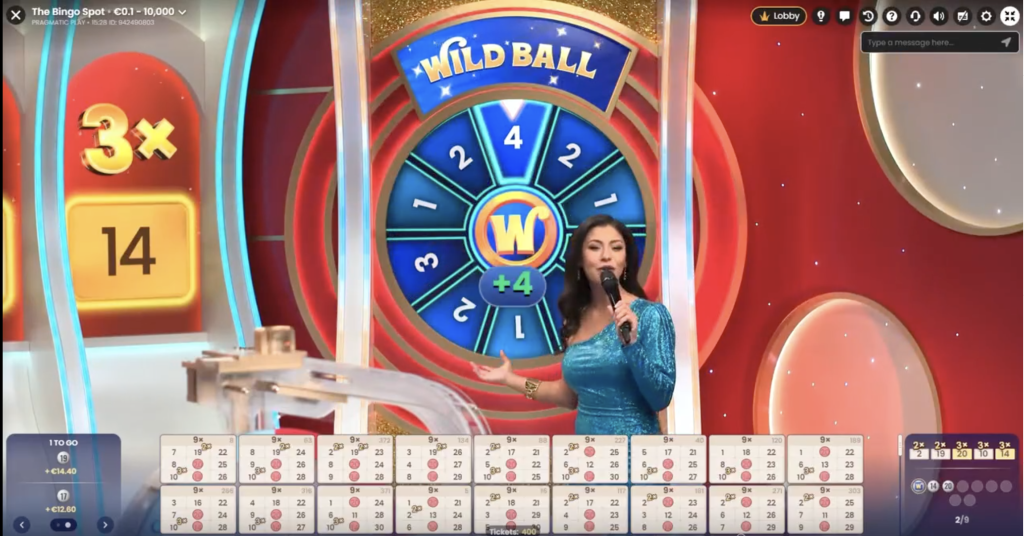
In addition to the regular balls, the tumbling device contains a Wild Ball. Drawing the Wild Ball activates a spin of the Bonus Wheel, which randomly determines an additional 1 to 4 regular balls to be drawn, increasing your chances of winning more. The Wild Ball does not count as one of the regular balls.

Bets and Payouts
Your winnings are paid according to the Payout table based on the patterns completed.
Possible Patterns

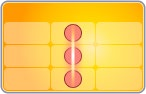

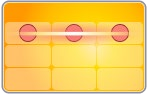
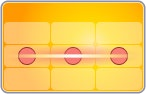
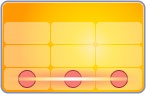
Payouts
| PATTERN | PAYOUT |
| 1 line | 1:1 |
| 2 lines | 4:1 |
| 3 lines | 24:1 |
| 4 lines | 49:1 |
| Full House (full ticket) | 249:1 |
Multipliers may increase the payout. The maximum payout in a game round may be limited. For details, see the Payouts & Limits section of the game. After the maximum payout is reached, the game continues normally, and the maximum limit is applied to the total winnings at the end of the game round.
Placing Bets
The Table Name indicates the table you are currently playing at, and the Table Limits show the minimum and maximum bets allowed at the table.
When clicking/tapping this area, the Payouts & Limits window opens, showing the minimum and maximum limits and payout odds for each bet type.

 The Game Information Indicator informs you of the game status.
While the timer is displayed, you may place and modify your bets.
 The Rebet button allows you to repeat the same bets from the previous game round. Once you have clicked/tapped the Rebet button, the Undo button is enabled.
 The Undo button removes the last bet you placed. This button is available only during the betting time. Once bets are closed, you will not be able to undo or change your bets. Clicking/tapping the Undo button repeatedly removes bets one by one, with the most recent bet removed first.
The Balance indicator shows your available funds and currency. Your balance has to be sufficient to cover all your placed bets.
If your balance is not updated (after placing bets, losing or winning), please refresh your game.
The Cashier button opens the Cashier window for deposits and withdrawals. On mobile devices, the Cashier button is available inside the game Menu.
 The Total Bet indicator shows the total value of all bets placed in the current game round.
Each game round is identified by a unique Game ID number. The Time indicator shows your current local time.
Please use the game ID number for reference (or take a screenshot of the game number) if there are any questions and you wish to contact Customer Service.
Game Result
After the game round is over, your total winnings are calculated automatically and displayed on your screen.
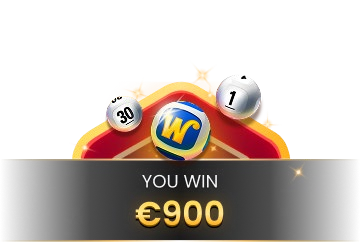
The Winner List is displayed at the end of the game round and shows the nicknames of all the players who won at the current table in the last game round. The winning amount is shown in your currency.
Navigation Controls
 The Lobby button can be selected at any time from any game. It allows you to easily change the game table, select any other live game or simply leave the table. You will not be removed from your current table until you have selected the new game table you wish to join. You can use the Lobby to browse other games while remaining at the current table. Once on the Lobby page, please click/tap the Back to game button to exit the Lobby page and return to your open table.
 Clicking/tapping the Chat button opens the chat window. You can chat with the game Host and other players. Game Host will communicate with you directly and answer any questions regarding the game.
 If you wish to speak with the Live Support, please select the corresponding chat room by clicking/tapping the Support button, and you will be assisted in a private chat.
Chat messages are monitored by dedicated Customer Support personnel at all times. Players who misuse Chat by abusing the Host or other players, or by using inappropriate and/or offensive language might have their chat privileges disabled.
 Clicking/tapping the Volume Control button opens a slider and lets you adjust the sound volume at your table. Click/tap the Volume control button to mute the sound. To unmute, click/tap the Volume Control button icon again.
 Click/tap the History button to launch a window showing details of your gaming activity. By default, it will open your history for today.
Simply select a game round from the list to review it in detail, arranged by game round information and information about bets.
 Clicking/tapping the Game Help button opens the Help window.
 Click/tap the Settings button to open the Settings window allowing you to select your preferences:
- Video stream on/off
- Manage video quality
- Manage game sound effects
 Click/tap the Full Screen button to launch the Full Screen mode. To exit this mode, click/tap the button again or use the “Esc” key on your keyboard.
Subtitles
Subtitles may not be completely accurate. Please refer to the information from the in-game user interface as the primary source.
Game Inconveniences
If there is an error in the game, system, game procedure or transaction activity, the game round will be temporarily paused, and the Shift manager immediately notified. You and other players will be informed by an on-screen notification that the issue is being investigated.
If the error can be immediately resolved, the game round will continue as usual. If immediate resolution is not possible, the game round will be cancelled, and initial bets will be refunded to all players who participated in the game round.
If you wish to discuss any game related issues, please contact Live Support, providing your Game name.
Disconnection Policy
Pragmatic Play Live Casino services are delivered over the Internet, and occasionally disconnections may occur.
After being disconnected, check your winnings in the History window. If you have any questions regarding the game outcomes, please contact Live Support within the game or Casino Customer Support, providing your Game name.