


GAME OVERVIEW
Treasure Island is an immersive game show that transports you to a deserted island full of adventures, and the hunt for the hidden treasure is at the forefront of your journey. The game is played by spinning a large 54-segment vertical money wheel featuring number and bonus segments.
The objective of Treasure Island is to predict the segment the wheel will stop at.
After the wheel comes to a stop on a bonus segment, one of the captivating bonus games is initiated, enhancing your chances to win big, if your bet was placed on that bonus.
In addition to that, in each game round, a random multiplier is assigned to one of the bet spots, boosting your potential winnings even more!
HOW TO PLAY
There are 54 segments in total on the wheel, and each segment is marked by either a number symbol 1, 2, 5, 10 or a bonus game symbol: Loot (John Silver’s Loot), Marbles (Ben’s Lost Marbles), Map (Billy Bones’ Map), Treasure (Captain Flint’s Treasure).
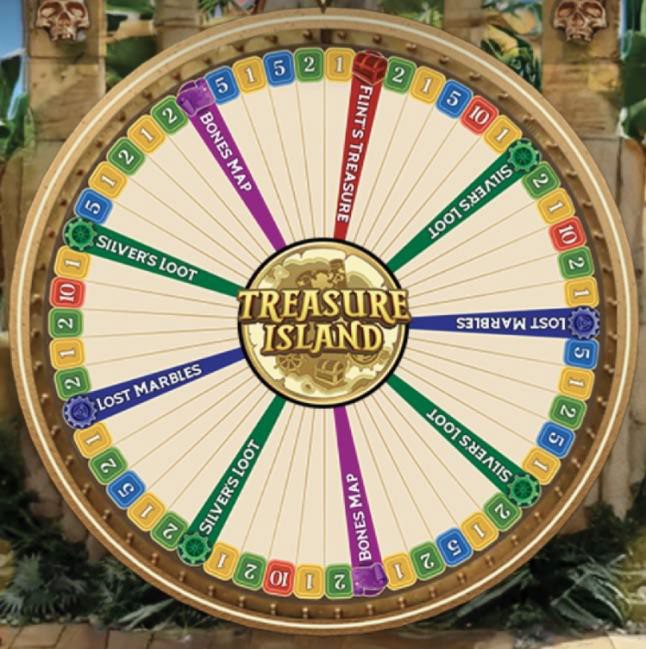
Place your bets on the bet spots you believe the wheel will stop at. All bet spots on the betting layout correspond to segments on the wheel.

Once the bets are closed, a random booster is assigned to one of the bet spots by spinning a mini slot in the studio. If the winning bet spot receives a booster and is covered by your bet, your final win will be multiplied accordingly.
Possible boosters:
- for a number symbol – 2x, 3x, 5x, 7x, 10x or 20x
- for Loot, Marbles, and Map bonus – 2x, 3x, 5x, 7x or 10x
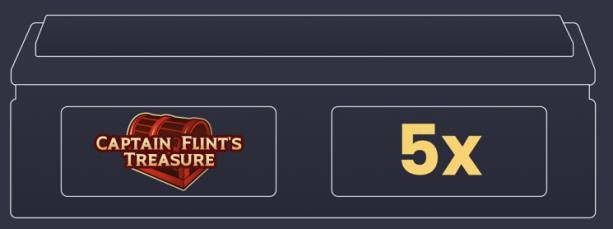
- for Treasure bonus – 2x, 3x or 5x
BONUS GAMES
John Silver’s Loot
If the wheel stops at the Loot segment, John Silver’s Loot bonus game is triggered. It is played with a tumbling device containing 40 balls: 20 green balls and 20 red balls.
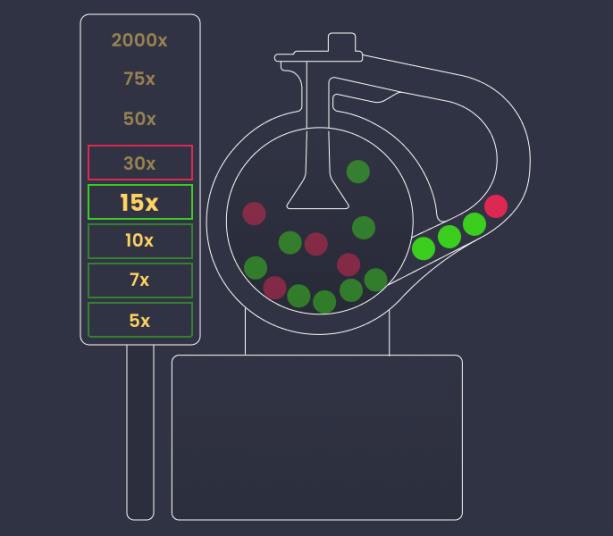
This bonus game has an initial prize of 5x multiplier, increasing each time a green ball is drawn. The John Silver’s Loot bonus round ends when one red ball or 15 consecutive green balls are drawn. If this bonus had a booster, then the bonus prize is further multiplied by the booster value.
If John Silver’s Loot bet spot is covered by your bet, you win the bonus prize multiplied by your bet, and your initial bet is returned on top. Your total winnings are displayed in the winning message on your screen.
Ben’s Lost Marbles
If the wheel stops at the Marbles segment, Ben’s Lost Marbles bonus game is triggered. It is played on a pachinko-style device resembling the arcade pinball games. Three dice are rolled, and their total value determines how many buckets of marbles will be released.
Each die has three sides marked with the number 1, two sides marked with the number 2 and one side marked with the number 3.

The first six buckets contain 5 marbles, and the last three have 10 marbles.
The device contains nine pockets, five of which are activated randomly in each bonus round. Once the bonus begins, each of the activated pockets receives a random 1x – 20x multiplier. If Ben’s Lost Marbles bet spot had a booster assigned, it is automatically applied to activated buckets before the die roll. Each of the pockets can catch up to 10 marbles.
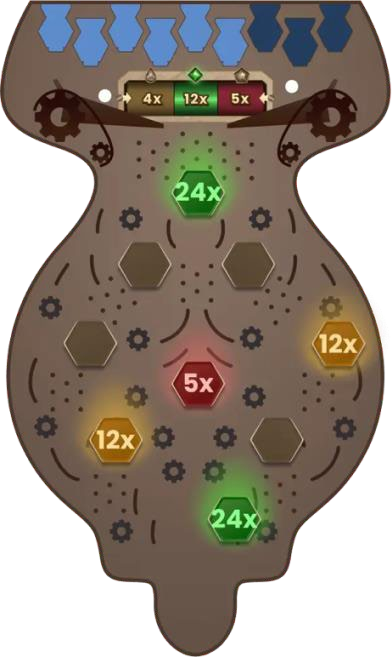
Each marble landing into an active pocket collects the multiplier displayed on that pocket and adds it to your total bonus prize.
The marbles not landing into any of the activated pockets are discarded and do not award any prize.
If Ben’s Lost Marbles bet spot is covered by your bet, you win the bonus prize multiplied by your bet, and your initial bet is returned on top. Your total winnings are displayed in the winning message on your screen.
Billy Bones’ Map
If the wheel stops at the Map segment, Billy Bones’ Map bonus game is triggered, which will reveal a treasure map hiding a variety of prizes.
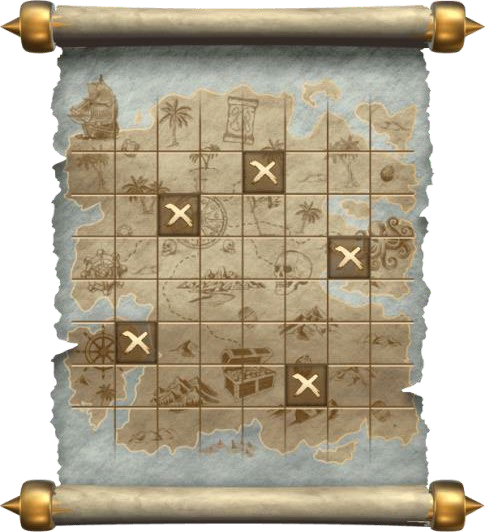
In addition to the multipliers ranging from 1x to 100x, three keys are hidden in Billy Bones’ map to discover that will allow you to unlock the big prize. Finding keys will award you with a prize of:
- 1 key – 10x multiplier
- 2 keys – 50x multiplier
- 3 keys – 1000x multiplier
If a booster was assigned to Billy Bones’ Map bet spot, all prizes on the map are boosted accordingly.
You have five picks to select five fields on the map. After the time for picking is up, all hidden values are revealed, and you will receive the corresponding prizes from the fields you selected on the map. If you have not made your decision in time, then an auto-decision is made, and the remaining picks will be made automatically for you.
If Billy Bones’ Map bet spot is covered by your bet, the accumulated multiplier value is multiplied by your bet, and your initial bet is returned on top. Your total winnings are displayed in the winning message on your screen.
Captain Flint’s Treasure
If the wheel stops at the Treasure segment, Captain Flint’s Treasure bonus game is triggered. You will be transported to an underground cave full of barrels, distributed in six levels, and hiding prizes of 3x to 2000x multipliers.
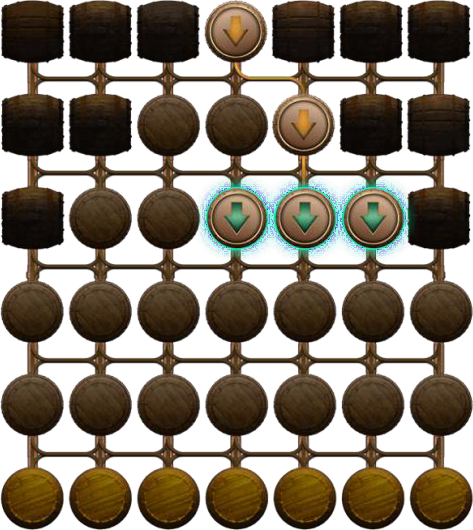
All prizes hidden in the barrels are revealed at the beginning of the bonus, then shuffled and hidden again.
If a booster was assigned to Captain Flint’s Treasure bet spot, all prizes are boosted accordingly.
To get as much of that treasure as you can, you have to move downwards carefully, level by level, by selecting the prize barrels, as some of the barrels are traps and hide the skull inside: if you find it, your journey downward stops there and your picks below that level will be discarded.

Pick a barrel to move downwards. The green arrows will indicate which barrels you can choose from.
If you have not made your decision in time, an auto-decision is made, and the remaining picks will be made automatically for you.
If Captain Flint’s Treasure bet spot is covered by your bet, the accumulated multiplier value is multiplied by your bet, and your initial bet is returned on top. Your total winnings are displayed in the winning message on your screen.
The Last Winning Combinations
The Last Winning Combinations are displayed at the bottom of your screen with the most recent winning result on the left side and highlighted.

Game Statistics
 Click/tap the Statistics button to see more detailed statistics for up to 500 last game rounds.
Under the tabs Recent and Bonus, you can find the statistics for the most recent results and bonuses for up to 500 game rounds.
Placing Bets
The Table Name indicates the table you are currently playing at, and the Table Limits show the minimum and maximum bets allowed at the table.
When clicking/tapping this area, the Bet Limits & Payouts window opens, showing the minimum and maximum limits and payout odds for each bet type.

The Game Information Indicator will inform you of the game status.

While PLEASE PLACE YOUR BETS is displayed, you may start placing your bets. The indicator shows the remaining time in green, decreasing to the left.
When only 5 seconds of the betting time remain, the status changes to LAST BETS, and the indicator becomes orange.

Once the betting time is over, BETS CLOSED is displayed, and all betting areas become inactive. The game status will then show BETS ACCEPTED, informing that all your placed bets have been accepted and will participate in the game round.

The Chip Display allows you to select the value of the chips you wish to bet with. Only chip values that can be covered with your current Balance are available.

Click/tap the BET ON ALL button to cover all eight bet types at once. Bets will be placed with your selected chip value.

In portrait mode, you can place your bet separately on all number bet spots and all bonus bet spots: tap the button to place a chip on each of the associated bet spots at once.
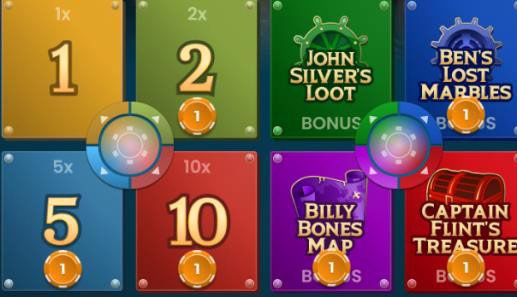
 The Re-bet button allows you to repeat the same bets from the previous game round. Once you have clicked/tapped the Re-bet button, the Double and Undo buttons are enabled
 The Double button doubles all your placed bets. Every click/tap doubles your bets up to the maximum limit.
 The Undo button removes the last bet you placed. This button is available only during the betting time. Once bets are closed, you will not be able to undo or change your bets. Clicking/tapping the Undo button repeatedly removes bets one by one, with the most recent bet removed first.
The Balance indicator shows your available funds and the currency.Your balance has to be sufficient to cover all your placed bets.
If your balance is not updated (after placing bets, losing or winning), please refresh your game or click/tap the F5 key on your keyboard.
 The Cashier button will open the Cashier window for deposits and withdrawals. On mobile devices the Cashier button is available inside the game Menu.
The Total Bet indicator shows the total value of all bets placed in the current game round.

Game Result
The winning result of the game round is highlighted on the betting layout. Your winnings will be displayed on your screen.
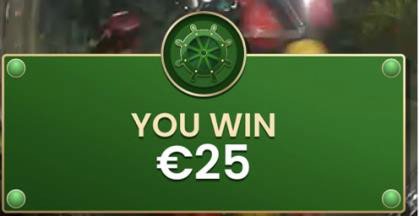
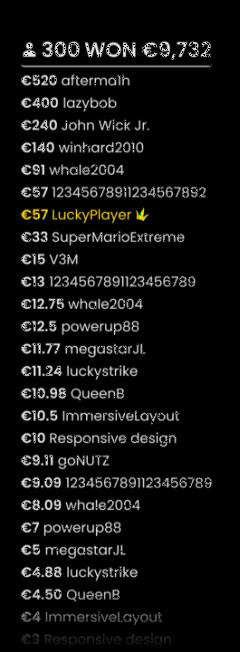
The Winners List is displayed at the end of the game round and will show the nicknames of all the players who won at the current table in the last game round. The winning amounts are shown in your currency.
For bonuses with picks, the total multiplier uncovered, and the number of keys found (where applicable) is displayed for each player.
Navigation Controls
 The Lobby button button can be selected at any time from any game. It allows you to easily change the game table, select any other live game or simply leave the table. You will not be removed from your current table until you have selected the new game table you wish to join. You can use the Lobby to browse other games while remaining at the current table.Once on the Lobby page, please click/tap the Close Lobby button to exit the Lobby page and return to your open table.
 Clicking the Chat button opens the chat window. You can chat with the Dealer and other players. Dealer will communicate with you directly and answer any questions regarding the game.
 If you need to speak with our Live Support team, please select the corresponding chat room by clicking the Support button and you will be assisted in a private chat.
Chat messages are monitored by dedicated Studio personnel at all times. Any chat messages may be deleted, and your chat feature may be blocked if you use inappropriate or rude language with the Dealers and/or other players at the table or flood the chat with unnecessary messages.
 Clicking the Volume Control button opens a slider which lets you change the sound volume at your table. Clicking the Volume control button mutes the game – it will then turn into a “Muted” icon.
 Clicking the History button opens a window showing details of your activity in our Live Casino. By default, it is opened on your history for Today. Under the tab Older you can view your previous gaming history.
Simply select a game round from the list to see details of it, including all your bets. The details of your game round history are shown in the History window and split into 2 parts: game round information and bets information.
 Clicking the Game Help button opens the Help window you are in right now.
 Clicking the Settings button opens a Settings window allowing you to set your desired preferences. In the General tab the following options are available:
- Video stream on/off.
- Manage video quality.
- Manage game sound effects.
 By clicking the Classic View button, you can change the view of the game to Classic mode where the video is shown inside a small frame.
The game interface may also change automatically to Classic mode if your internet connection is slow or unstable. If this happens, the video is automatically set to Low video resolution.
 Clicking the Full Screen button launches Full Screen mode. To exit this mode, click/tap the button again or use the “Esc” key on your keyboard.
Wheel Valid Spin Rule
A winning symbol is valid only when the spin is deemed valid. A valid spin is defined as follows:
The wheel must complete at least two complete rotations counted from the segment where the pointer came to rest in the previous game round.
If the spin is defined as invalid, this situation is called a “No Spin”.
Situations where a “No Spin” is declared:
- The wheel did not complete two revolutions from the moment it was set in motion.
- The pointer comes to rest on a pin between 2 segments.
- There is physical interference of any kind with the spin.
- There is any kind of mechanical malfunction affecting the wheel or its supporting structure.
In the event of a “No Spin”, the game round will be cancelled, and player bets will be refunded.
Game Inconveniences
If there is an error in the game, system, game procedure or transaction activity, the game round will be temporarily paused, and the Shift manager immediately notified. You and other players will be informed by an on-screen notification that the issue is being investigated.
If the error can be immediately resolved, the game round will continue as usual. If immediate resolution is not possible, the game round will be cancelled, and initial bets will be refunded to all players who participated in the game round.
If you wish to discuss any game related issues,, or in the event of any other irregularities, please contact Casino Time Customer Support, providing them with details of the game in question including the the Game name and the exact time it occurred.
Disconnection Policy
Pragmatic Play Live Casino services are delivered over the Internet, and occasionally disconnections may occur.
In order to minimize the impact of unexpected disconnections, when you lose connectivity to the game server, a reconnect message will be displayed on the screen.
After being disconnected, please check your winnings in the History window and if you have any doubts regarding game outcomes, please contact Live Support within the game or Casino Time Customer Support, providing them with details of the game in question including the the game name and the exact time it occurred.
BETS AND PAYOUTS
If your bet covers the segment the wheel stops at, winnings are paid according to the Payout table. Boosters are included in the Payout table.
The payout for the bonus segments depends on the outcome of the bonus games.
| SEGMENT | PAYOUT |
| 1 | 1-20:1 |
| 2 | 2-40:1 |
| 5 | 5-100:1 |
| 10 | 10-200:1 |
| Loot | 5-20,000:1 |
| Marbles | 4-10,000:1 |
| Map | 5-12,000:1 |
| Treasure | 6-20,000:1 |
The maximum payout in a game round may be limited. For details, see the Bet Limits & Payouts section of the game. After the maximum payout is reached, the game continues normally, and the maximum limit is applied to the total winnings at the end of the game round.